


How to install Seplos 3.0 BMS Bluetooth App on Android and IOS Operating Systems
1. Download and Install the App
-
For Android Devices
-
Open a browser on your phone.
-
Copy and paste the following link: www.pgyer.com/be91fs
-
Download and install the app from the webpage.
-


-
For iOS Devices
-
Open the App Store.
-
Search for Octopus BMS.
-
Download and install the app.
-


2. Connect to the Bluetooth App
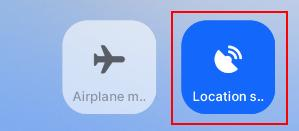
1. Turn on Bluetooth and Location Services on your smartphone.

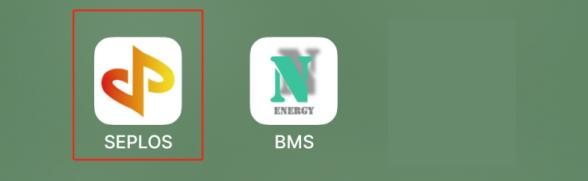
2. Launch the Seplos/Octopus BMS App.
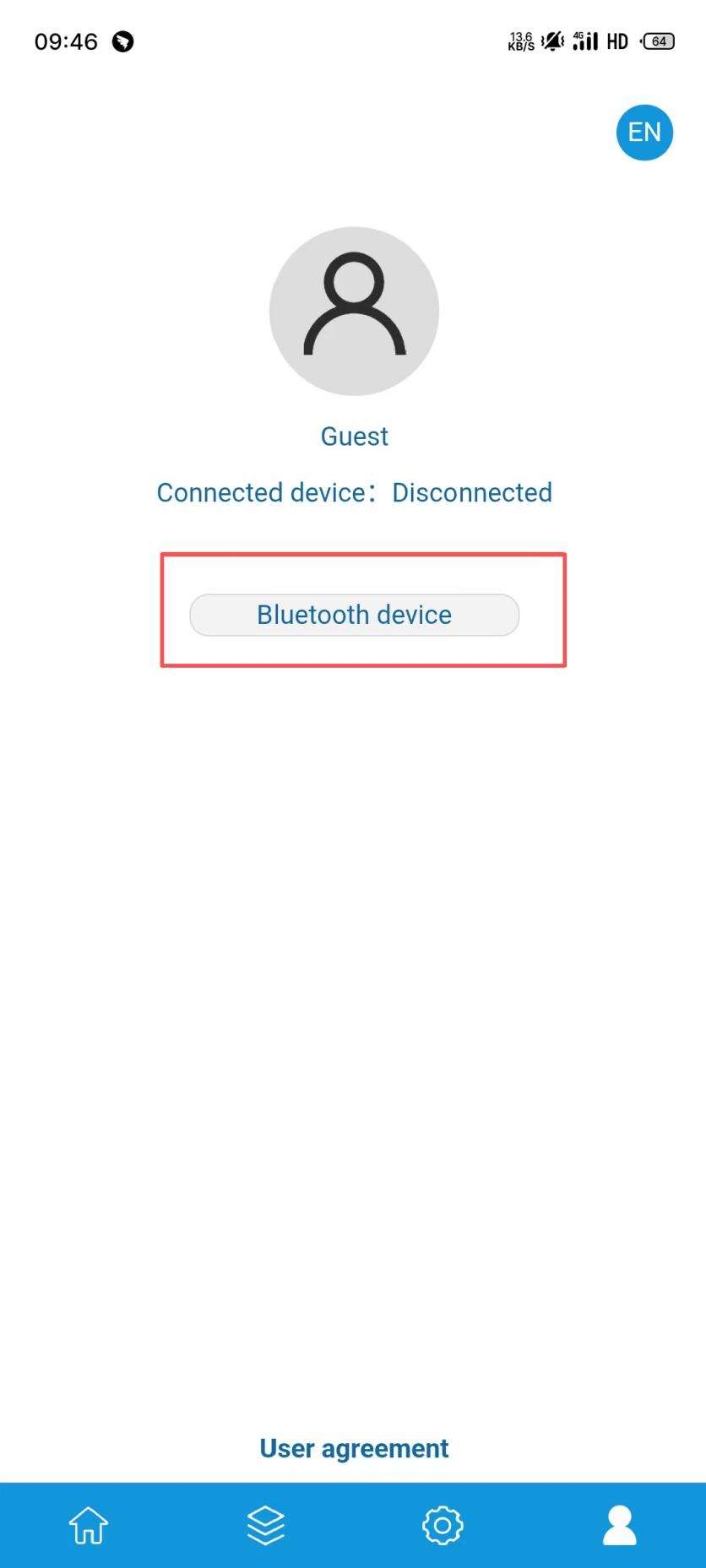
3. Tap the fourth icon in the app.

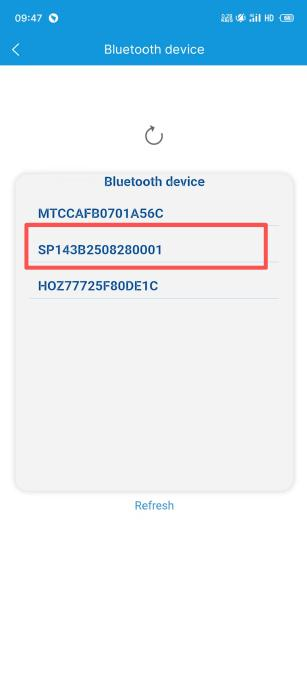
4. Select the displayed battery serial number to connect via Bluetooth.

3. View Battery Data
Once successfully connected, the app allows you to view real-time battery information:
-
Basic Data:
View key battery status and switch battery communication protocols.

-
Detailed Data (via the second icon):
-
Battery voltage
-
Temperature
-
Cycle count
-
And more system details
-

4. Important Notes
-
Ensure both Bluetooth and Location permissions are enabled on your phone.
-
When multiple batteries are connected in parallel, only the host battery’s serial number will be shown. Connect to the host to access data.
-
The Bluetooth app is read-only. You cannot modify battery parameters.
-
For parameter adjustments, please contact Seplos Technical Support.
-
With these steps, you can easily monitor your battery system using the Seplos 3.0 BMS Bluetooth App.
How To Upgrade The Seplos BMS 3.0 Firmware
Why High Voltage Battery Storage Matters: Insights from the Seplos Ultra Power 1000
For more questions, please
contact us

+86 15079804024


Room 102, Building one, No.147, Qingfeng Road, Qingxi Town, Dongguan, China